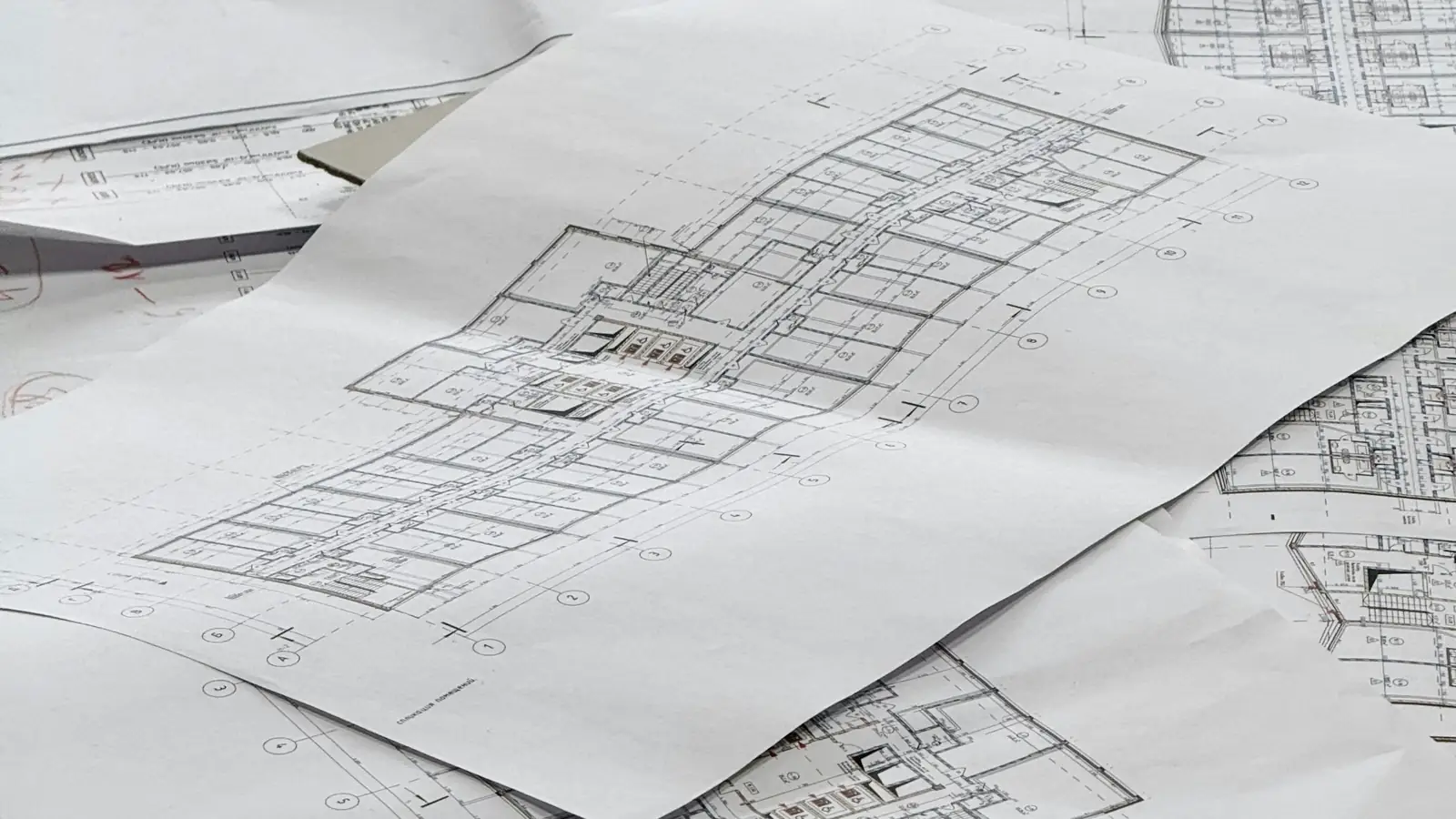
Is manual or digital takeoff better for construction estimating?
Neither wins outright. Digital takeoff is faster on counts and revisions and leaves a clickable audit trail; manual takeoff with a scale ruler is reliable on small or poorly scanned sets. The manual vs digital takeoff choice should follow sheet quality, drawing count and how often the set will be revised.
What Manual vs Digital Takeoff Actually Compares
A quantity takeoff is a list of measured quantities, each carrying a unit of measure and a measurement rule. A concrete slab appears as cubic yards at a stated thickness; a wall as square footage with openings deducted; a header run as linear feet. Comparing manual vs digital takeoff compares the tool that produces that list, not the list itself. The bid package still needs the same quantities, sorted by CSI MasterFormat division, before anyone prices labor and material. The distinction between a material takeoff vs quantity takeoff matters here, because a material takeoff adds product specification and waste to the measured quantity, and both methods must feed that step.
Every number on a defensible takeoff sheet traces back to three things: the plan sheet and revision it came from, the measurement rule applied (including any waste factor), and the public data behind the pricing. U.S. Bureau of Labor Statistics wage data and Producer Price Index series give the labor and material inputs an auditor can check. A method that loses any of those three links produces a bid you cannot defend at a scope review.
Defining manual takeoff in estimation
Manual takeoff in estimation means reading printed or static plan sheets with a scale ruler, marking measured areas with a highlight marker, and tallying counts by hand onto a paper or spreadsheet takeoff sheet. The estimator records each dimension, applies the rule, and writes the result in the chosen unit of measure. Nothing is measured that the estimator did not physically scale and write down.
Defining digital takeoff in estimation
The digital method opens the same PDF drawing set in on-screen takeoff software, sets the scale once per sheet, and clicks between points to measure. Each measurement is stored with its page, coordinates and label, so a linear measurement or count can be clicked back to the plan view at any time. Assemblies and parametric takeoff rules can carry a quantity from a measured area into a member count.
The same quantities, two different paths
The table below sets the two methods against the same line items so the difference in traceability is visible.
Whichever path you choose, the deliverable is a takeoff sheet an estimator and a reviewer can both follow line by line. If your team would rather not run either method in-house, we produce the same traceable output through digital plan takeoff services.
| Line item | Unit of measure | Manual method | Digital method | Traceability |
|---|---|---|---|---|
| Concrete slab on grade | Cubic yards | Scale length and width, multiply by thickness, divide by 27 | Area tool on slab outline, thickness entered in the assembly | Manual: sheet and note. Digital: stored measurement on the plan view |
| Interior wall finish | Square feet | Scale each wall, deduct openings by hand | Area tool with opening deduction per wall | Manual: highlight marker on sheet. Digital: labeled area per page |
| Metal studs | Count | Divide wall length by spacing, add corners | Parametric count from measured wall length | Manual: arithmetic on takeoff sheet. Digital: rule stored with the wall |
| Rebar | Linear feet | Scale bar runs, add laps and waste factor | Linear measurement with lap rule applied | Manual: note per run. Digital: measurement list by sheet |
| Doors and frames | Count and tally | Count symbols, tally in a column | Symbol count tool with color coding | Manual: tally sheet. Digital: count linked to each symbol |
| Copper branch wiring | Linear feet | Scale each homerun, sum by hand | Linear measurement per circuit | Manual: sheet notes. Digital: circuit-labeled runs |
Defining manual takeoff in estimation
Manual quantity takeoff starts with the printed drawing set and a scale ruler matched to the sheet's architectural scale or engineering scale. The estimator scales each run, writes the dimension on the sheet in a highlight marker, and totals counts in a column. Each line on the takeoff sheet names the plan sheet, the rule, and the unit of measure, which is what makes the manual method auditable when the notes are kept.
Defining digital takeoff in estimation
Digital takeoff in estimation uses on-screen measurement on the PDF, so the scale is set per sheet and every click produces a stored dimension. The output is still a quantity takeoff sheet, but each row carries a link back to the plan view it came from. That link is what separates a digital quantity takeoff from a spreadsheet of numbers with no visible origin.
The same quantities, two different paths
The table compares how each method handles the same line items. Read across a row and the quantity and unit do not change; what changes is how fast you get there and how easily a reviewer can retrace it. Waste factor and rounding rules must be written down either way, because the same slab measured twice can still be ordered differently if the rule is not stated.
Manual Takeoff in Estimation: How It Works and Where It Breaks
A manual takeoff runs in a fixed sequence. The estimator opens the drawing set, checks the sheet index against the latest addendum, sets the scale ruler to the sheet's stated scale, and measures each line item in drawing order. Counts go into a tally column, areas and linear runs go onto the takeoff sheet with the plan sheet reference, and the totals roll up by CSI MasterFormat division.
Take one wall as an example. A partition measures 42 feet long and 9 feet high on the plan sheet, giving 378 square feet of gross wall area. Two door openings, each 3 feet by 7 feet, deduct 21 square feet each, or 42 square feet total, leaving 336 square feet of net wall area. If the specification section calls for a 10 percent waste factor on the board, the order quantity becomes 336 times 1.10, or 369.6 square feet, rounded to 370 square feet. Every step in that chain has to appear on the sheet, or the next reviewer cannot check it.
Tools: scale ruler, highlighters, paper plans
The core kit is a scale ruler with architectural and engineering graduations, a highlight marker for measured runs, and a color coding convention agreed before the first sheet is opened. One color for measured areas, another for counts, a third for items flagged to the cost estimator. The convention matters more than the tool, because a color nobody else understands is not a record.
Strengths: low startup cost, full control
Manual takeoff needs no license, no file conversion, and no training beyond reading plans. The estimator holds the whole sheet in view and can mark a revision cloud by hand the moment an addendum lands. For a small drawing set with few sheets, that directness is real.
Weaknesses: arithmetic errors, version control, speed
The failure modes are predictable. A transposed digit in a 378 square foot wall shows up as a wrong board order and nobody catches it until delivery. A superseded sheet measured after an addendum produces quantities for a wall that no longer exists. Speed compounds both: the longer the manual takeoff process runs, the more likely a sheet gets re-measured twice or skipped. The same risks drive most construction takeoff mistakes, and they scale with drawing set size.
When a manual set still has to be converted to a checked digital quantity takeoff, blueprint takeoff and estimating covers the conversion and the quality check, and bluebeam takeoff services handle the on-screen markup path when the drawing set arrives as a PDF.
Tools: scale ruler, highlighters, paper plans
An architectural scale divides the ruler into fractions of an inch per foot, while an engineering scale works in decimal feet, so matching the ruler to the sheet's stated scale is the first check. A highlight marker over a measured run leaves a visible record that a second estimator can compare against the takeoff sheet. Paper plans also carry the revision cloud and the addendum stamp, which are the version control evidence a manual takeoff depends on.
Strengths: low startup cost, full control
The manual takeoff process has no software dependency, so a single estimator can start on a new drawing set as soon as it arrives. Full control means the measurement rule is whatever the estimator writes down, which is an advantage on unusual assemblies the software templates do not cover. On a small bid package, that flexibility can beat a tool that needs setup.
Weaknesses: arithmetic errors, version control, speed
Arithmetic errors cluster in the roll-up, where a column total is added by hand and a single digit carries forward. Version control fails quietly when an addendum sheet is measured against the original sheet index. Speed is the third weakness: a manual quantity takeoff on a large drawing set takes proportionally longer, and the longer it runs the more revision clouds accumulate unmeasured.
Digital Takeoff in Estimation: Software, Speed, and Traceability
Digital takeoff in estimation sets the scale once per plan sheet, then measures by clicking points on the PDF. A linear measurement is two clicks; an area is a closed polygon; a count is a click per symbol, tagged with a color code. The software stores each measurement with its page and label, so the takeoff sheet and the plan view stay linked. That link is the practical difference in manual takeoff vs digital takeoff: the digital number can be clicked back to its origin.
A cost estimator working on-screen can measure the same 42 foot by 9 foot wall as a polygon, deduct the two 21 square foot door openings through the opening tool, and see 336 square feet net with the 10 percent waste factor applied as a stored rule, giving 370 square feet. The difference is not the arithmetic; it is that the polygon, the opening deduction and the rule all remain visible on the sheet after the takeoff is finished.
How digital takeoff software measures
On-screen takeoff vs paper plans starts with scale calibration: two points of known dimension on the sheet set the engineering scale or architectural scale for that page. From there the measurement tools produce linear measurement, area, volume and count, and assemblies carry a measured quantity into member counts such as studs or hangers. A digitizer tablet can serve the same role for estimators who prefer a pen, feeding coordinates into the same takeoff sheet.
Audit trails and version control
Each measurement keeps its page number, label and timestamp, and a new addendum sheet can be compared against the prior revision before quantities are carried forward. A reviewer opening the file can see which measurements came from a superseded sheet and which were re-measured. That audit trail is what makes a digital quantity takeoff defensible in a scope review, and it is the part most often missing from a manual set.
Common digital takeoff mistakes
Scale set wrong on one sheet is the most frequent error, and it silently inflates or shrinks every measurement on that page. Duplicate measurements from double-clicking, counts that miss symbols hidden in a detail bubble, and assemblies that carry the wrong unit of measure are the next most common. A quality check that re-measures a sample of line items against the plan view catches all four. For teams comparing platforms, our overview of construction quantity takeoff software covers what the tool categories do and where they stop.
How digital takeoff software measures
Calibration comes first: the estimator picks two points of known dimension and enters the real distance, and the software derives the scale for that page. Area and volume tools then convert the polygon or the slab outline into square footage or cubic yards at the entered thickness. Assemblies and parametric takeoff rules attach member counts to the measured quantity, so a measured wall length produces a stud count without a separate scaling pass.
Audit trails and version control
A stored measurement list by page lets a reviewer filter to the sheets touched by the latest addendum and re-check only those quantities. Revision clouds on the PDF can be marked and linked to the affected measurements, so the change history is visible on the drawing set itself. This is where digital quantity takeoff pays for itself on a project with several addenda.
Common digital takeoff mistakes
A wrong scale on a single page is the error that survives review longest, because the measurement looks precise. Duplicate counts from repeated clicks and missed symbols inside detail callouts are the next two. A quality check that re-measures a sample of each trade against the plan view, and confirms the unit of measure on every assembly, is the cheapest control.
Manual vs Digital Takeoff: Side-by-Side on Cost, Speed, and Accuracy
Run both methods against the same 20-sheet commercial drawing set and the differences stop being philosophical. The comparison below uses a hypothetical project — illustrative, not a KNR benchmark — with a scope of 8,000 square feet of slab, 340 linear feet of partition, and 210 devices to count. A manual takeoff on this set means a scale ruler read against the architectural scale noted on each plan sheet, a highlight marker, and a hand-tallied takeoff sheet; a digital takeoff software run means calibrated PDFs and on-screen takeoff with counts and linear measurement logged per sheet. Either way, the takeoff sheet has to carry the same unit of measure and waste factor logic you would apply in how to calculate materials for a project.
| Factor | Manual takeoff | Digital takeoff |
|---|---|---|
| Minutes per sheet | 25 | 12 |
| Measurement and tally hours (20 sheets) | 8.33 | 4.0 |
| Cross-check hours | 3.0 | 1.0 |
| Total hours | 11.3 | 5.0 |
| License cost | $0 | Recurring subscription |
| Training time | None beyond scale reading | Weeks to reliable counts |
| Error visibility | Found at cross-check | Visible in markup |
| Revision handling | Re-mark the sheet | Update the markup layer |
Time per sheet and per project
Illustrative arithmetic: at 25 minutes per sheet for scaled measurement and tallying, 20 sheets is 20 × 25 = 500 minutes, or 8.33 hours. A digital pass at 12 minutes per sheet is 20 × 12 = 240 minutes, or 4.0 hours. Add 3 hours of manual cross-checking against the drawing set for the paper run and 1 hour for the on-screen run, and the totals land near 11.3 hours versus 5.0 hours. The gap is not typing speed; it is that a digital takeoff carries the measurement rule forward instead of re-reading the scale on every sheet.
Error rates and rework
Manual takeoff fails in predictable places: a plan sheet at 1/8 inch equals 1 foot read with the 1/4-inch edge, a count missed where a partition breaks across two sheets, a linear run scaled through a door opening. Each miss costs a re-measure plus the downstream estimate edit. On the illustrative project, one mis-scaled partition run of 40 linear feet at a 1.10 waste factor becomes 44 linear feet of material priced and bought — the error compounds through the bid. Digital takeoff does not eliminate error, but a wrong measurement rule is visible in the markup and correctable once.
Training and software costs
Digital takeoff software carries a license cost and a learning curve measured in weeks before a new estimator's counts are reliable. Manual takeoff carries no license but consumes senior estimator hours, and BLS wage data shows cost estimators near the top of the construction pay scale — a chart on this page reflects the current figure. The honest comparison is hours of estimator time against license and training, not paper against pixels. For a firm running two takeoffs a month, manual often wins on cost; for weekly bid packages, it rarely does.
When Manual Takeoff Still Makes Sense (and When It Doesn't)
The manual vs digital takeoff decision is a scope question, not a loyalty question. Ask three things about the job: how many sheets, how clean the drawings, and how many people will touch the numbers before the bid goes out. A single-story tenant fit-out on six sheets answers differently from a 200-sheet mixed-use set with three addenda. It also depends on which of the types of takeoffs in construction the bid requires, since a material takeoff and a full bid package carry different measurement rules.
Small, simple, or one-off projects
Below roughly ten sheets with repetitive geometry — a shell building, a small addition, a stand-alone site package — the manual takeoff process is often the shorter path. A scale ruler and a printed plan sheet need no calibration step, and the estimator already knows the building. The cost of setting up a digital file, importing the drawing set, and calibrating each sheet can exceed the measurement time itself. Keep the takeoff sheet disciplined anyway: unit, rule, and sheet reference on every line.
Renovations with poor digital plans
Renovation sets arrive as scanned markups, hand-annotated plan sheets, and photos of field conditions. When the PDF is a 150-dpi scan with a skewed border, calibrating it for on-screen takeoff takes longer than scaling the paper. Here a manual takeoff with pdf markup notes and a color-coding convention for existing versus new work is defensible. If the scans are clean enough to calibrate, a professional digital plan takeoff service can still be faster on the count-heavy scopes.
Projects with tight deadlines and complex geometry
Curved walls, stepped footings, and multi-level atriums punish manual linear measurement, and a tight bid package punishes rework. Digital takeoff benefits show up hardest here: a single measurement rule applied to a polyline, a count that survives a revision cloud, and an audit trail when the addendum lands two days before the bid. On a fast-turn complex job, the training cost is paid back inside one project. Where the geometry is genuinely irregular, send the drawings and let the measurement rule be documented before the numbers are priced.
How KNR Makes Every Takeoff Number Traceable—Manual or Digital
Our takeoff does not depend on which method wins the argument. It depends on every quantity carrying three things: the unit of measure, the measurement rule applied, and the sheet or specification section it came from. A concrete slab line reads as cubic yards with the thickness and waste factor stated, not as a bare number on a spreadsheet. That discipline holds whether the estimator scaled a printed sheet or traced a calibrated PDF.
Measurement rules and unit discipline
Each line on the takeoff sheet names its rule: gross area for square footage, centerline length for linear measurement of pipe and conduit, net count for device count with a stated allowance for spares. Waste factors are labeled typical and shown as a multiplier so a reviewer can back them out. When a drawing set is reissued, the revision is logged against the affected lines rather than overwriting them, which keeps the audit trail intact through each addendum.
Public data and arithmetic checks
Material pricing is adjusted with published Producer Price Index series — lumber and wood products, ready-mix concrete, steel mill products, copper wire and cable — and labor with Bureau of Labor Statistics wage data. The charts on this page show the current figures; the point is that every adjustment has a public source an owner or developer can verify. Each extension is checked twice: quantity times unit cost, then the subtotal against the line items above it.
Linking takeoff to estimating services
The takeoff hands off to pricing with assemblies intact, so a stud count stays tied to its wall type and a rebar quantity stays tied to its slab. If you want the measurement work handled end to end, our digital plan takeoff team works from calibrated PDFs, and our blueprint takeoff and estimating group covers paper-based and scanned sets. For teams already working inside a markup platform, professional bluebeam takeoff services keep the markups in a format your reviewers can open. Send your plans and we will quote the fee after reviewing the drawing set.
Choosing Your Takeoff Method: A Practical Checklist
A takeoff methods comparison should end with a decision, not a preference. Before you commit a drawing set to paper or screen, answer four questions: How many sheets and revisions will the bid package include? Which trades need count and tally of discrete devices versus linear measurement of runs? Does the owner require an audit trail that ties each quantity to a measurement rule? And what is the loaded hourly cost of the person doing the work? If the set exceeds 50 sheets with more than two addenda, the revision cloud count alone often pushes the decision toward digital. For smaller scopes with a single specification section and no addenda, a scale ruler and highlight marker can be faster than setting up layers and measurement rules. The checklist below turns those answers into a score.
To start, request a free quote and attach your drawings.
| Criterion | Weight | Manual score (1–5) | Digital score (1–5) | Weighted manual | Weighted digital |
|---|---|---|---|---|---|
| Speed (sheets per hour) | 25% | 3 | 4 | 0.75 | 1.00 |
| Accuracy (error rate) | 30% | 3 | 4 | 0.90 | 1.20 |
| Cost (labor + software) | 25% | 4 | 3 | 1.00 | 0.75 |
| Traceability (audit trail) | 20% | 2 | 5 | 0.40 | 1.00 |
| Total weighted score | 100% | 3.05 | 3.95 |
Questions to ask before you start
Start with the drawing set: sheet count, revision cloud density, and whether dimensions are architectural scale or engineering scale. Then list the units you must produce—square footage for a concrete slab, linear feet for rebar, cubic yards for excavation—because each unit implies a measurement rule that must be repeatable. Ask who will check the takeoff and whether they can follow your color coding without a written key. If the answer is no, you need a digital audit trail or a paper legend attached to every takeoff sheet. Finally, confirm the CSI MasterFormat division breakdown required by the bid package, since a manual quantity takeoff often organizes by sheet while a digital takeoff organizes by assembly.
Pilot test on one project
Run both methods on a representative plan sheet—ideally one with a revision cloud and a dense device count—and time each from first mark to checked quantity. Use the same cost estimator for both runs to remove skill bias. Compare the results line by line: a manual takeoff process may miss a rebar lap that an on-screen takeoff catches with a parametric rule, or a digital takeoff may overcount a symbol that appears in a legend. Record the variance in percent for three line items: concrete slab square footage, stud count, and device count. If the digital run shows a 2% variance from the manual run on two of three items, the pilot has paid for itself in error detection alone.
Scaling from manual to digital
Scaling does not mean switching every project at once. Start with the trade that has the highest count and tally burden—electrical device counts or plumbing fixture schedules—and keep manual takeoff for small renovation sets under 10 sheets. As you add digital takeoff software, write the measurement rule for each assembly into a shared template so every estimator applies the same waste factor. Review the template after each addendum to confirm revision cloud handling. When the pilot shows fewer than one error per 100 line items, expand to the next trade. For contractors who prefer to outsource the transition, professional digital plan takeoff services can run the pilot while your team learns the audit trail.
Frequently Asked Questions
What is the difference between manual and digital takeoff?
Manual takeoff measures printed plan sheets with a scale ruler, a highlight marker and a hand-written tally sheet. Digital takeoff measures the same PDF sheets on screen, using calibrated scale, count tools and color-coded markups that stay attached to the drawing. The quantity is the same; the difference is where the measurement rule and the audit trail live.
Is digital takeoff more accurate than manual takeoff?
Neither method is inherently more accurate. Accuracy comes from a stated measurement rule, a checked scale on every sheet and a second pass over counts. Digital takeoff reduces transcription errors because quantities land in a spreadsheet instead of being re-keyed from paper. Manual takeoff can match it when the tally is double-checked and the scale is verified against a known dimension.
How much time does digital takeoff save compared to manual?
Time savings depend on sheet count, drawing quality and how many revisions arrive. Counts and linear measurements on screen usually move faster than scaling paper, while a messy scanned set can erase that advantage. We do not quote a delivery time up front; the schedule is set by drawing completeness and revision volume and is confirmed with your quote.
Can I switch from manual to digital takeoff mid-project?
Yes, provided the paper quantities are carried into the digital file with their original measurement rule and sheet references. Rebuild the takeoff sheet so each line traces to a sheet number and a scale, then re-measure a sample of lines to confirm the two methods agree. Unreconciled switches are where duplicate and missing quantities appear.
What are the common mistakes in manual takeoff?
The recurring failures are an unchecked scale on a reduced print, missed revision clouds, counts that skip a sheet, and waste factors applied to a unit that does not accept them. Mixing architectural and engineering scales on the same sheet also produces silent errors. A quality check that re-measures a sample of lines catches most of these before the bid package goes out.
Do I need special software for digital takeoff?
You need a PDF viewer that supports calibrated scale and markup, and a spreadsheet for the takeoff sheet. Dedicated on-screen takeoff tools add count symbols, assemblies and parametric takeoff, which help on repetitive buildings. The software matters less than the measurement rule and the audit trail; a plain PDF markup with a disciplined sheet can be fully traceable.
Which method fits a manual vs digital takeoff decision on a small renovation?
On a small renovation with a handful of sheets, manual takeoff is often the faster path because setup time for a digital file outweighs the measurement time. Move to digital when the set exceeds roughly a dozen sheets, when addenda arrive, or when counts such as devices and studs repeat across floors. The deciding factor is revision volume, not square footage.
Do you sign NDAs?
Clients can request an NDA before sending drawings, and the terms are agreed before plan review begins. Send the request with the drawing set so the paperwork is settled before any sheet is opened. We do not publish a standard NDA policy; each agreement is handled with the client directly.