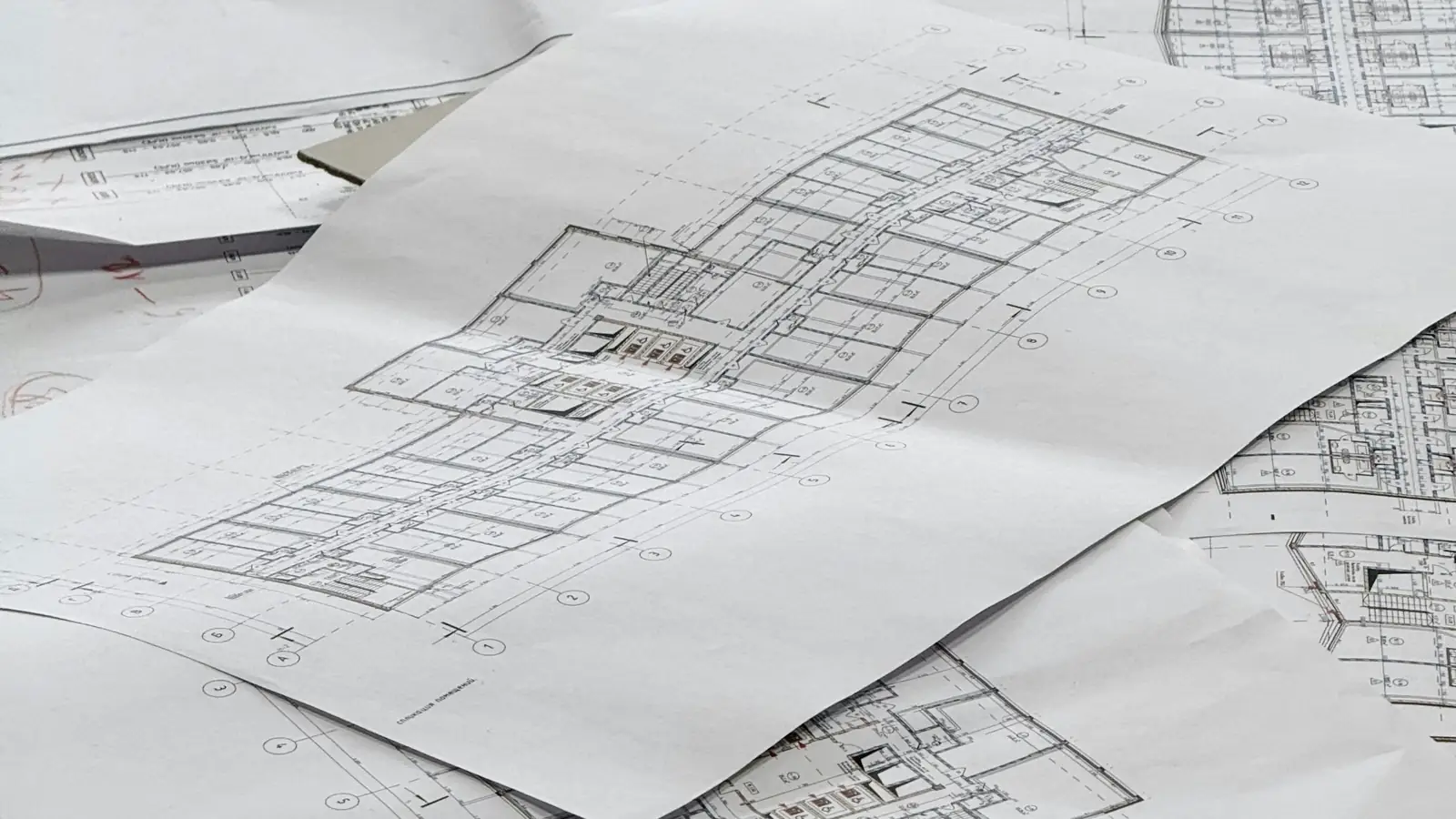
Do electrical estimators use electrical estimating software or manual takeoff?
Most use both: electrical estimating software for digitized count and measure on the plan sheets, and manual review for symbol legends, addenda and scope gaps. Software speeds the takeoff; the estimator still sets labor units, waste factors and unit prices, and checks every quantity against the drawings.
Electrical Estimating Software vs Manual Estimating: The Core Trade-Off
The trade-off is not about which method is more professional. It is about where the numbers live and how easily a second person can retrace them. On a manual takeoff, the count of 2-pole breakers sits in pencil on a plan sheet; in electrical estimating software, that count sits in a database row tied to an assembly, a labor unit and a price. Both can be right, and both can be wrong.
What software do electrical estimators use, and does it change the arithmetic? The arithmetic is identical: count and measure, multiply by a unit price, multiply by labor hours, extend, total. Software changes the bookkeeping around that arithmetic, not the math. A home run pulled from panel LP-1 to a junction box is the same 68 feet of 3/4 in. conduit whether you scale it with a wheel or with an on-screen measure tool.
| Dimension | Manual (plans + spreadsheet) | Electrical estimating software |
|---|---|---|
| Quantity record | Pencil count on plan sheet, transcribed to a count sheet | Count tag stored with scale and measurement rule |
| Pricing basis | Estimator's unit price book or last bid | Priced database, updated on a schedule |
| Labor basis | Labor units typed per line | Labor units attached to assemblies |
| Audit trail | Handwriting, column notes, version confusion | Sortable by panel, circuit, Division 26 line |
| Change order speed | Re-measure and re-key affected lines | Re-measure affected lines, re-extend automatically |
| Setup cost | Low; a spreadsheet and a scale | Higher; database, assemblies, training |
| Best fit | Small or one-off scopes | Repetitive, high-volume scopes |
What each method actually produces
A manual estimate produces a marked-up plan set, a count sheet and an extension sheet, usually in a spreadsheet. The audit trail is the estimator's handwriting and whatever column notes survive the bid crunch. An electrical takeoff software vs manual takeoff comparison usually turns on that trail: software stores the measurement rule (scale, snap tolerance, count tag) next to the quantity, so a reviewer can see why 412 ft of feeder became 412 and not 380.
Both methods end in the same deliverable: a bid summary organized by CSI MasterFormat Division 26 for electrical, Division 27 for communications and Division 28 for electronic safety and security. The difference is how fast a change order or addendum can be reconciled against the original quantities.
Where manual wins and where software wins
Manual wins on small, unusual scopes: a single-building tenant fit-out, a service upgrade, a job with fewer than 40 devices where setting up a database costs more than the takeoff. It also wins when the estimator knows the local labor market cold and carries their own unit price history in their head and notebook.
Software wins on repetition and volume. A 300-unit apartment building with identical branch circuits repeats the same assembly hundreds of times; a database applies the same labor unit and unit price to every instance and flags the ones that differ. It also wins on audit: a reviewer can sort by panel, by circuit, or by Division 26 line item without re-reading the plans.
How KNR's traceable-numbers standard applies to both
Our standard is the same either way: show the unit, show the measurement rule, show the arithmetic, and cite the public data behind the price. A line for 1,250 ft of 12 AWG THHN in 3/4 in. EMT shows the count, the length rule (measured plus a typical waste allowance), the labor unit in hours per foot, and the wage basis. If the wage basis is a BLS figure or the copper conductor price moved, the line says so.
That standard is why we do not treat tool choice as the answer. A spreadsheet with a documented column for measurement rule beats a database nobody can explain. If you want the arithmetic reviewed line by line, send your plans through our electrical estimating services and we will show the sheet.
What Software Do Electrical Estimators Use? The Common Toolset
The honest answer is that most electrical estimators use two or three tools in combination, not one. A typical stack is an on-screen takeoff tool for count and measure, a pricing database for unit price and labor units, and Excel for the extension and bid summary the office actually reviews. Some shops run a single integrated package; some run all three separately and reconcile by hand.
Manual vs software electrical estimating is less a fork in the road than a question of which steps are automated. The steps that stay manual in nearly every shop are scope review, RFI drafting and the judgment call on labor units for unusual conditions.
Accubid and Trimble electrical estimating
Accubid, now under Trimble, is the name most estimators recognize in the integrated category: takeoff, assemblies, pricing and labor units in one environment. It carries a learning curve and a licensing cost that small contractors often cannot justify on a $40,000 service job. Our team runs this category of tool daily, and you can see how we handle it on our page covering accubid and trimble electrical estimating.
The practical question is not which brand, but whether the assemblies in the database match how your crews actually build. An assembly for a duplex receptacle that assumes a 12 ft home run will misprice a job where the average is 35 ft.
On-screen takeoff and spreadsheet hybrids
The hybrid is the most common stack for electrical estimating software for small contractors: an on-screen PDF takeoff tool for count and measure, exporting quantities to Excel where the estimator applies unit price and labor units. It keeps the audit trail visible in a spreadsheet the owner can read.
The weakness is the export. If the takeoff tool reports wire length by circuit and the spreadsheet expects it by feeder, someone re-keys it, and re-keying is where transcription errors enter.
Pricing databases and labor unit libraries
Pricing databases supply the unit price and the labor unit, and labor unit libraries supply the production rate behind it. A library that says 0.035 labor hours per linear foot of 3/4 in. EMT is only useful if you know whether that assumes a journeyman working at ceiling height or at bench height, and what apprentice ratio it assumes.
Treat any library as a starting point and reconcile it against your own crew's production. The same caution applies to published cost data, which is why we show the wage and price basis on every line rather than quoting a single number.
How Manual Electrical Estimating Works, Step by Step
A manual estimate is a sequence, and each step leaves a record you can check later. Skip a record and the estimate becomes a number nobody can defend. Here is the sequence as a senior estimator runs it, with the failure mode at each stage.
Plan review and hand takeoff
Start with the symbol legend, the drawing scale and the panel schedule. Confirm the scale on each plan sheet against a known dimension; a sheet plotted at 1/8 in. equals 1 ft that is actually 3/32 in. will understate every measured length by 25 percent. Note the addendum log and the RFI log before you count anything.
Then count devices by panel and circuit, and measure conduit and conductor size runs by circuit. A home run from a panel to the first junction box is measured once per circuit, not per device, and that rule needs to be written down. For a structured walkthrough of the measurement rules, see our quantity takeoff page.
Labor units and pricing from references
Apply labor units per item, then convert to labor hours and multiply by the loaded wage. On a public job, the wage basis is the prevailing wage determination, not the open-market rate; on a private job it is your crew's loaded cost. Conductor pricing should be dated, because copper wire and cable has moved sharply on the Producer Price Index over the past year, and a price book from last quarter may already be stale.
This is where electrical estimating software for contractors earns its keep on large jobs and where manual estimating is most exposed on small ones: one stale price line, extended across 40,000 ft of conductor, is a large error.
Extension sheets and bid summary
The extension sheet multiplies quantity by unit price and by labor hours, subtotals by Division 26 section, and adds general conditions, overhead and profit. The bid summary then rolls those subtotals into a single number. Every line on the summary should trace back to a count on a plan sheet and a labor unit in a reference.
When the summary cannot be traced, the estimate is a guess with a cover sheet. If you would rather have the traceability built in, send your plans and we will return the workbook with marked-up drawing pages showing where each number came from.
How Electrical Estimating Software Changes the Workflow
The workflow shift starts at takeoff. A digital takeoff on a calibrated plan sheet replaces the scale ruler and highlight marker: you set the drawing scale once, then count and measure devices, raceway and home runs on screen, and the symbol legend drives which items get counted. The measurement rule does not change — a 3/4-inch conduit run is still measured to the centerline of fittings — but the quantities land in a database instead of a paper column. That is the real difference in accubid vs manual takeoff: not the count, the destination of the count.
From there, electrical estimating software carries each quantity into an assembly and prices it. A branch circuit assembly might hold the breaker, the conductor, the raceway and the box fill in one line, so a device count of 40 duplex receptacles expands into every component the estimator defined. The software does not decide what belongs in the assembly; that judgment stays with the estimator, which is why a wrong assembly definition propagates faster than a wrong pencil entry. The same quantities also feed the general conditions construction cost estimate, where supervision, temporary power and cleanup are priced against the electrical schedule rather than guessed at separately.
| Workflow step | Manual approach | Software approach | What still needs a human check |
|---|---|---|---|
| Scale setup | Scale rule read per sheet | Drawing scale entered once per sheet | Revised sheets after an addendum |
| Device count | Tally marks by symbol | On-screen count by symbol legend | Legend changes mid-set |
| Raceway measure | Scaled with a wheel or rule | Digitized polyline along the run | Routing at offsets and stub-ups |
| Extension | Calculator, line by line | Assembly-driven automatic extension | Assembly matches the specification |
| Labor | Printed labor unit table | Database labor unit by item | Production rate fits the crew |
| Pricing | Supplier quotes and invoices | Database price with update date | Current public price data |
| Output | Hand-typed bid summary | Exported workbook and PDF | Scope gaps at the summary review |
Assemblies and automatic extensions
An assembly is a saved recipe: one counted item, several priced components. Count 18 lay-in fixtures and the assembly can extend the fixture, the hanger wire, the whip and the labor for each. Assemblies cut keyboard time, but they hide errors well — a fixture assembly built around a 2-lamp body will misprice a 4-lamp specification until someone checks the cut sheet. Keep the assembly library versioned and tied to the specification section it serves, and review it each time an addendum changes fixture types or panel schedules.
Labor unit databases and price updates
Labor units convert quantity into hours, and the production rate behind each unit is the number that decides whether the bid is winnable. Software ships with a labor database, but those units age: a rate published for a journeyman crew under one apprentice ratio does not describe every job. Material prices move faster still, and copper wire and cable has been the sharpest mover in the published Producer Price Index series. Reconcile database prices against current public data before the bid summary is issued, and record the date of the update on the estimate cover.
Audit trails and bid comparison
A useful audit trail answers three questions on any line: where the quantity came from, which labor unit was applied, and when the price was set. Software that logs the plan sheet, the takeoff rule and the database version gives you that. Bid comparison is the second payoff — run the same scope against two labor databases or two wage scenarios and the delta shows up per line rather than as one unexplained total. If you would rather have that traceability without running the toolset in-house, our electrical estimating services deliver the workbook with the marked-up sheets attached.
Cost, Speed and Accuracy: Comparing the Two Approaches
Total cost of ownership is the honest comparison. A manual estimate costs you estimator hours and little else; software costs a license, a database subscription and the setup hours to build assemblies that match your work. Neither number decides the question alone. What decides it is cost per bid: estimator hours divided by bids produced, weighted by how often the bid is accurate enough to build from without a change order.
The calculator below converts estimator hours into dollars. Enter the base wage, the burden percentage, the share of hours worked at overtime, the crew size and the hours, and it returns the loaded rate, the blended rate with overtime, the labor hours and the crew labor cost. Run it twice — once with the hours a manual takeoff consumes, once with the software-assisted hours — and the difference is the real cost of the tool, not the license fee. If you want the underlying method before you run the numbers, start with what is quantity takeoff in construction.
| Item | Manual estimate | Software-assisted estimate |
|---|---|---|
| Estimator hours per bid | 16 | 11 |
| Base wage per hour | $37.86 | $37.86 |
| Burden at 30% | $11.36 | $11.36 |
| Loaded rate per hour | $49.22 | $49.22 |
| Labor cost per bid | $787.52 | $541.46 |
| Bids per month | 6 | 6 |
| Monthly estimator cost | $4,725.12 | $3,248.76 |
| Monthly difference before license | — | $1,476.36 saved |
Loaded labor rate calculator
- Loaded rate
- $31/hr
- Blended with overtime
- $32/hr
- Labor hours
- 320
- Crew labor cost
- $10,279
Burden covers payroll taxes, workers’ compensation, insurance and benefits; it varies by state, trade and company. Overtime is priced at time and a half.
Upfront cost vs long-run cost
Manual estimating front-loads nothing: no license, no database, no setup. Software front-loads the assembly library and the first few bids, then pays back on repeat scope. A contractor who bids the same tenant-improvement package every month amortizes an assembly library quickly; one who bids a different building type each quarter may never recover the setup. Count how many bids per year reuse the same fixture types, panel schedules and feeder sizes before you commit.
Bid volume and turnaround time
Speed matters when a general contractor sends three plan sets in a week. Digital takeoff compresses the count and measure step, and electrical bid estimating tools carry the quantities straight into the summary, so the estimator spends time on scope review instead of transcription. On a single small project the saving may be an hour; across a bid calendar it is the difference between bidding and declining. Treat any claimed time saving as a hypothesis and test it on one real plan set before you budget for it.
Error rates and rework
Most electrical bid errors are not arithmetic — they are omissions. A missed junction box in a ceiling grid, a feeder sized from an outdated schedule, a waste factor left off the conductor quantity. Software reduces transcription errors and catches some omissions through assemblies, but it cannot see a scope gap the estimator never noticed. The waste factor is a good test case: typical allowances run a few percent on conductor and more on raceway fittings, and the number must be applied deliberately, not inherited from a default.
When to Stay Manual and When to Switch to Electrical Estimating Software
The decision turns on four inputs: bid volume, scope complexity, team size and how much auditability the client demands. Write them down for your own shop before you shop for tools, because the best electrical estimating software for one contractor is oversized for another. A two-person shop bidding four simple projects a month has different needs from a team bidding twenty mixed-use packages with switchgear and feeder schedules.
If you want traceable numbers without buying and maintaining a toolset, send the plans to us instead. We return an Excel workbook and PDF summary with marked-up drawing pages, and every line shows its unit, measurement rule and public data source. You can send your plans and compare our line items against your own takeoff before you decide anything about software.
| Criterion | Stay manual | Move to software | Hybrid |
|---|---|---|---|
| Bids per month | 1 to 4 simple scopes | 8 or more, mixed scope | 5 to 8 with peak months |
| Scope complexity | Single panel, few circuits | Switchgear, feeders, multiple systems | Branch circuits in-house, gear outsourced |
| Team size | Owner-estimator | Two or more estimators | One estimator plus review |
| Auditability need | Internal budget only | Owner or lender review | Lump sum bids, detailed backup |
| Assembly reuse | Low | High across repeat clients | Moderate |
| Database upkeep | Not needed | Assigned to one person | Annual refresh |
Small shops and simple scopes
Stay manual when the scope fits on a few sheets: a service upgrade, a tenant fit-out, a residential remodel with a straightforward panel schedule. A well-built electrical estimating spreadsheet handles device counts, light fixture counts and a labor column without a license or a database. The spreadsheet's weakness is the same as paper's — nothing forces you to check that every symbol on the legend was counted, so build a legend checklist into the template and sign it off before the bid summary goes out.
Growing bid volume and complex projects
Switch when bid volume outruns review capacity or when the scope includes switchgear, distribution feeders and multiple voltage systems. Those projects carry long lead items, submittal dependencies and coordination risk that a flat spreadsheet cannot track. Look for best electrical estimating software features that match the work: assembly libraries you can edit, labor units you can override with a documented reason, takeoff linked back to the plan sheet, and a bid summary that separates material, labor and subcontract. Ignore feature lists that do not change a line on your estimate.
Hybrid setups that work
Many shops settle in the middle: software for takeoff and extension, a spreadsheet for the summary and the what-if scenarios, and an outside review on the largest bids. The hybrid keeps the audit trail where it matters and avoids paying for modules nobody opens. It also gives you a clean benchmark — run one bid both ways and compare the line items, not just the total. For overflow weeks or a scope outside your database, our trade estimating services cover the gap, and the construction estimating software overview explains what to expect from the tool category itself.
Making Either Method Traceable: A Practical Checklist
A bid is only as good as the trail behind each line. Whether the numbers come from an electrical estimating spreadsheet vs software, a reviewer should be able to open any line and see the unit, the measurement rule, the arithmetic and the price source without asking the estimator. The checklist below applies to both methods; the difference is how much of it the tool records for you.
Run it before the bid leaves the office. A line that fails any item is a line you cannot defend in a scope meeting or a change order.
| Line item | Unit | Measurement rule | Arithmetic check | Price source |
|---|---|---|---|---|
| Duplex receptacles, branch circuits | each | Counted from symbol legend on plan sheet | Count x unit price; labor hours x wage rate | Current material quote; BLS wage data for electricians |
| EMT conduit, 3/4 in. | linear ft | Scale-measured, plus vertical allowance per home run | Length x unit price; waste applied once | Current material quote; BLS wage data |
| THHN conductors | linear ft | Conduit length x conductor count per circuit | Length x unit price; copper index noted | BLS PPI copper wire and cable |
| Junction boxes | each | Counted at each home run and pull point | Count x unit price | Current material quote |
| Panelboard, 400A | each | Read from panel schedule and one-line | Count x unit price; labor hours x wage rate | Current switchgear quote; BLS wage data |
| Light fixtures | each | Counted from reflected ceiling plan | Count x unit price; waste applied once | Current material quote |
| Labor, journeyman and apprentice | hours | Production rate per unit x quantity | Hours x wage rate; apprentice ratio stated | BLS wage data; prevailing wage if required |
Documenting units and measurement rules
For every line, write the unit as it will be measured: each for a device count, linear feet for conduit and conductors, and each for switchgear assemblies with the voltage and ampere rating noted. Record the measurement rule beside it — count from the plan symbol legend, scale-measured on the drawing scale, or scaled plus a stated vertical allowance per home run. Tag each line to the correct CSI MasterFormat division (26 for electrical, 27 for communications, 28 for electronic safety and security) so the bid summary sorts cleanly. Software often stamps the rule automatically; a manual sheet needs a rule column added by hand. Our guide to construction quantity takeoff explains the same discipline for other trades.
Sourcing public pricing data
Attach the source and date to every material price that moves. Copper wire and cable and steel mill products swing hard, so a price carried over from a prior bid without a current index check is an unpriced risk. Labor rates should trace to published wage data for the trade and to the prevailing wage determination where the project requires one. For teams that want the count-and-measure work rebuilt line by line before pricing, professional electrical estimating services can produce a bid-ready workbook with the rules documented. When you are ready, send your plans and we will quote the fee after reviewing them.
Frequently Asked Questions
Is electrical estimating software more accurate than manual estimating?
Not by itself. Software is more accurate only where it removes a human step: counting devices from a plan sheet, multiplying conduit runs by drawing scale, and carrying conductor sizes into the panel schedule. A wrong symbol legend or a missed addendum produces the same error in either method. Accuracy comes from the measurement rule and the review, not the tool.
What software do electrical estimators use most often?
Most shops work in one of three tool categories: on-screen takeoff with a symbol library, estimating packages that apply labor units to measured quantities, and spreadsheets used as the bid summary. The common thread is a database of assemblies and labor hours tied to Division 26 line items. The specific brands vary by shop size and whether the work is service, residential or commercial.
How much does electrical estimating software cost compared to manual methods?
Software carries a license or subscription fee plus setup time to build your assembly and labor-unit library; manual takeoff carries paper, highlighters and estimator hours. The honest comparison is total cost per bid, including rework when a scope gap reaches the field. KNR quotes its own fee per project after reviewing the plans, so the number depends on drawing count and system scope.
Can I estimate electrical work with a spreadsheet instead of software?
Yes, and many small contractors do. A spreadsheet works when you type in quantities you already counted by hand and apply your own labor units per fixture, device or foot of raceway. It stops working when the takeoff itself is the bottleneck, because nothing links the plan sheet to the cell and an addendum means recounting.
How long does it take to learn electrical estimating software?
A journeyman electrician who already reads a symbol legend can usually produce a first takeoff in the tool within a few weeks; building a trustworthy labor-unit library takes longer, because every assembly needs a production rate you have tested in the field. The learning curve is in the database and the measurement rules, not the buttons.
Should small electrical contractors use estimating software or manual takeoff?
Stay manual while bid volume is low and the work is repetitive enough that you know the labor hours by memory. Move to electrical estimating software when you are losing evenings to takeoff, when addenda arrive mid-bid, or when two estimators price the same job differently. The trigger is rework, not company size.
How do you keep a takeoff traceable when the tool does the counting?
Every measured quantity should carry three things: the plan sheet and revision it came from, the measurement rule (count, linear foot at drawing scale, or fixture schedule), and the labor unit applied. Ask for the marked-up drawing pages alongside the bid summary so a reviewer can re-measure any line. Without that trail, software output is just a number.
Do you sign NDAs before reviewing electrical drawings?
Clients can request one before sending drawings, and the terms are agreed before plan review begins. Send the request with the drawing set so the paperwork does not delay the takeoff.